
01 / Memories
Give your photos
a place to belong.
Choose a photo range, review suggested journeys and organize the moments that matter. Add your own words. Read the result as a travel book, then return to where you left off.
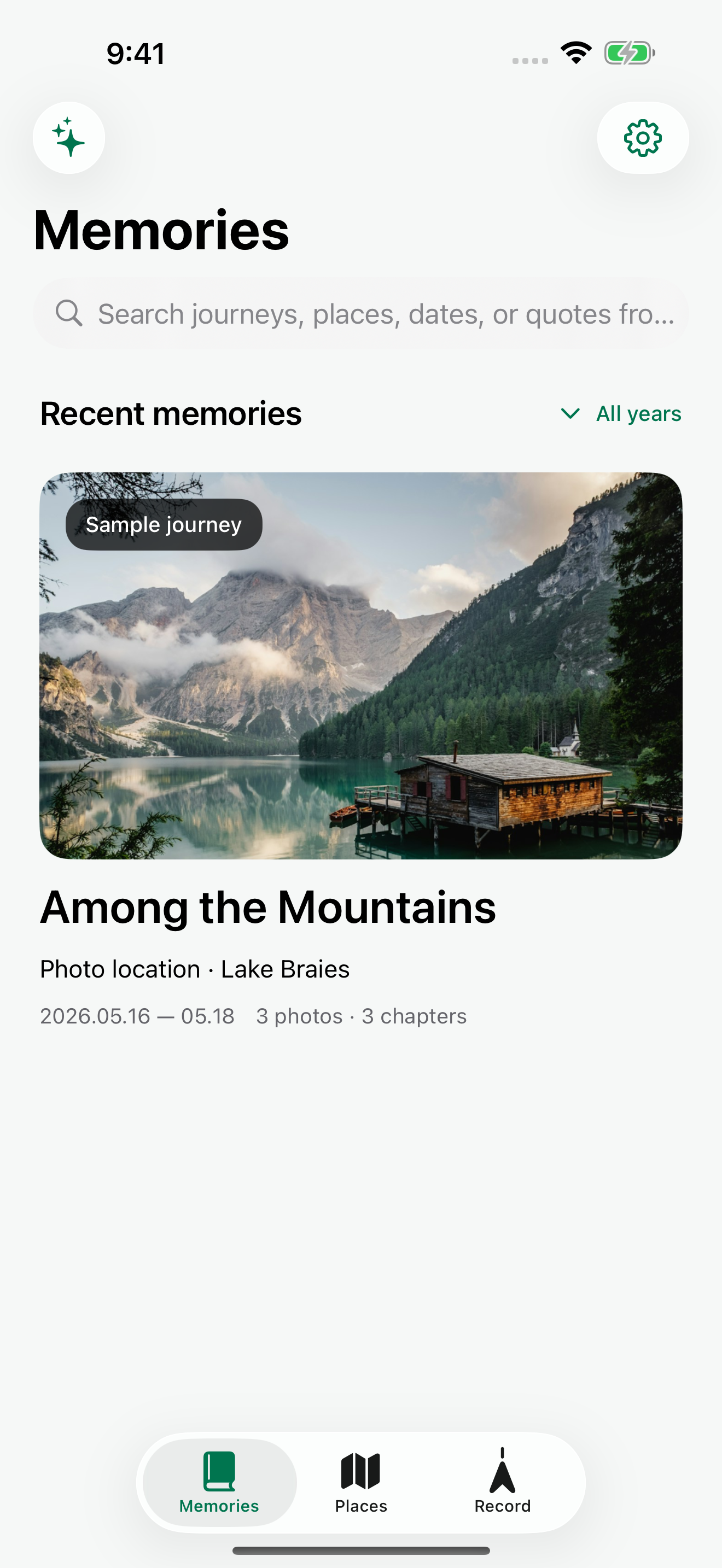
A personal travel journal
The photos you took. The words you meant to keep. The path you walked. Bring them back together, in a travel book that feels like yours.
iPhone · iPad · Apple Watch
App Store release in preparation
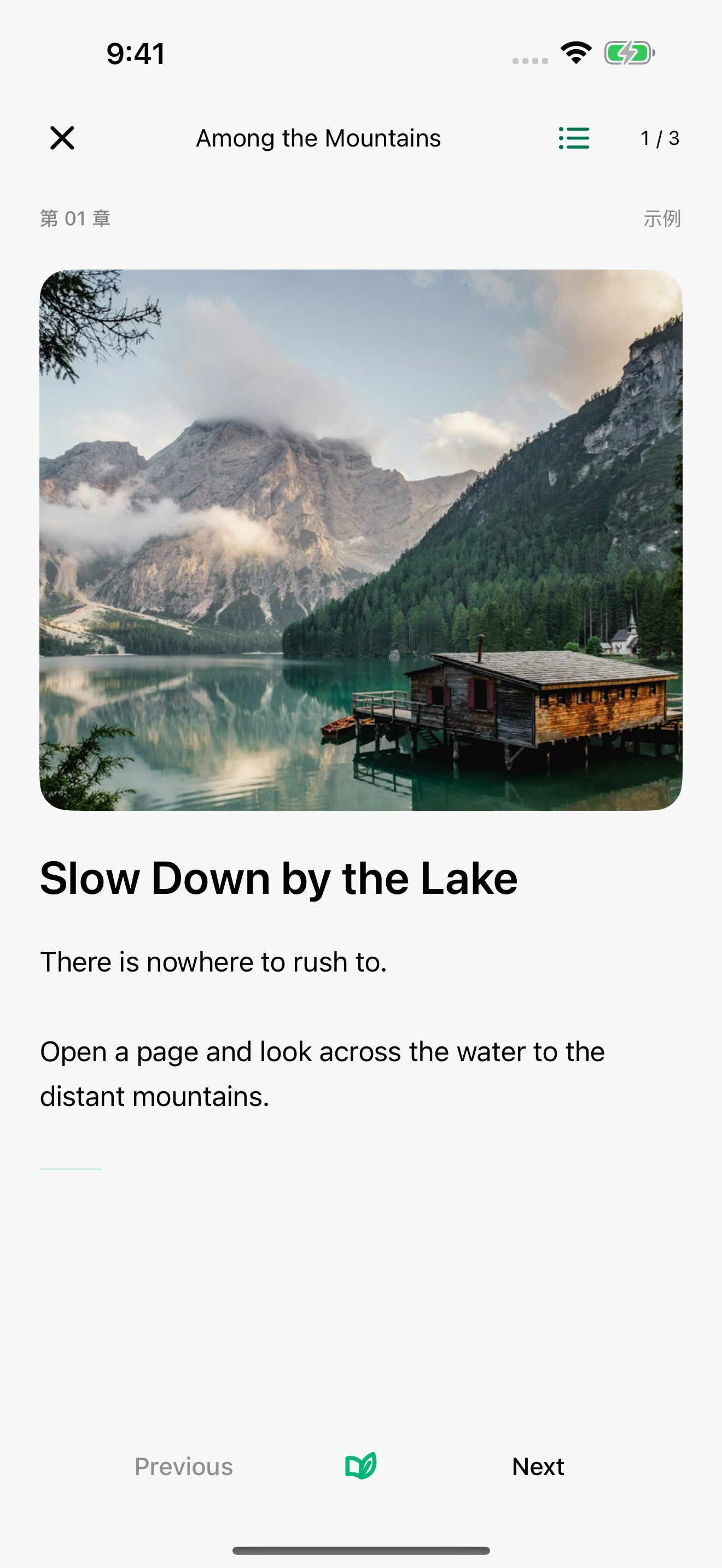
Find a journey in your camera roll.
Keep what the camera could not capture.
Record a walk. Remember a moment.
From a moment to a memory
A personal library, a book you can read and a map that takes you back. Three ways to spend a little more time with your travels.
01 / Memories
Choose a photo range, review suggested journeys and organize the moments that matter. Add your own words. Read the result as a travel book, then return to where you left off.
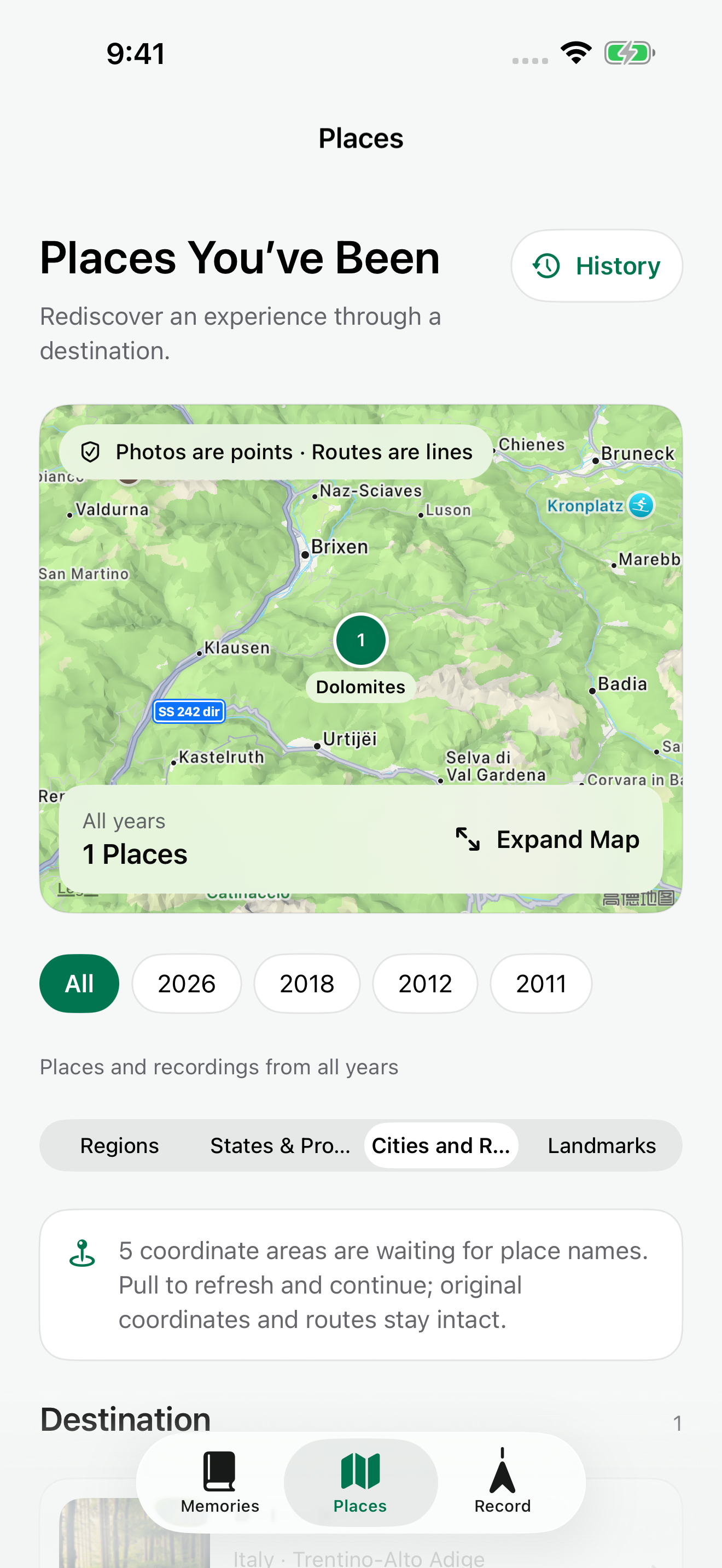
02 / Places
Browse photo locations and visit history on a map. Open the memories behind a place. Photo locations and recorded paths keep their own sources clear.
03 / Record
Record a walk on iPhone or Apple Watch. Mark a moment, then revisit your route, duration, distance and available altitude information. Confirm which memories belong with the recording.
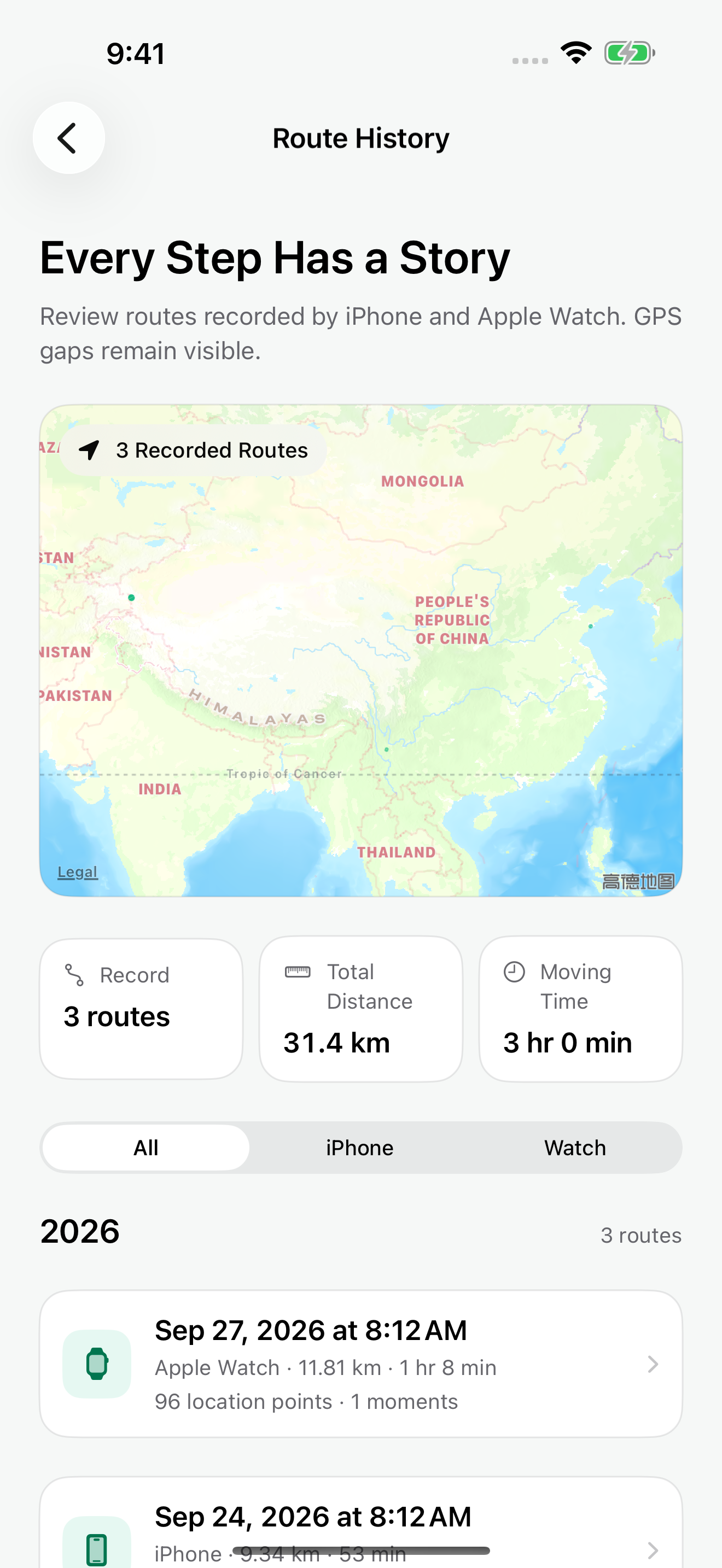
Actual app screens with example memories and demo recordings.
A little help along the way
Review photo categories. Create and check compressed copies before deciding whether to remove originals.
See compass heading, altitude and location accuracy together. Recording is always a choice.
Prepare a post or a short photo video. Review the media, order and text before exporting.
Your memories. Your decisions.
Start with the photos you authorize. Decide what to write, sync, send or share.
Our privacy approachCore photo organization starts locally. Limited Photos access is supported.
Optional AI writing depends on your selected service or model. Cloud requests need your confirmation; drafts stay editable.
Recorded routes and HealthKit data stay out of Roamleaf cloud AI requests. Eligible travel-library content can use private iCloud sync.
Review new compressed copies first. Removing originals requires confirmation from you and iOS.
Roamleaf is a personal travel journal for photos, original words and recorded footsteps. You can organize journeys, read a travel book, revisit places and record walks.
Core photo organization starts on your device. Optional writing assistance depends on the supported service or model you select. A cloud AI request requires your confirmation, and generated drafts remain yours to review.
Use the Watch app to record a walk and mark moments along the way. Review recordings and confirm their connection to your memories on iPhone. Outdoor features require the relevant Location or Health permissions.
The App Store release is in preparation. Roamleaf supports English, Simplified Chinese and Traditional Chinese. Contact support for current release information.